Live Split-Screen Preview
As you type, this free markdown editor updates the live preview instantly. Editor and preview are side-by-side, so there's no switching tabs.
real-time renderingThe free online markdown editor built for real work. Write markdown and see it rendered instantly — furthermore, enjoy split-screen live preview, syntax highlighting for 100+ languages, drag-and-drop files, and dark & light themes. In addition, it works entirely in your browser with no login required.
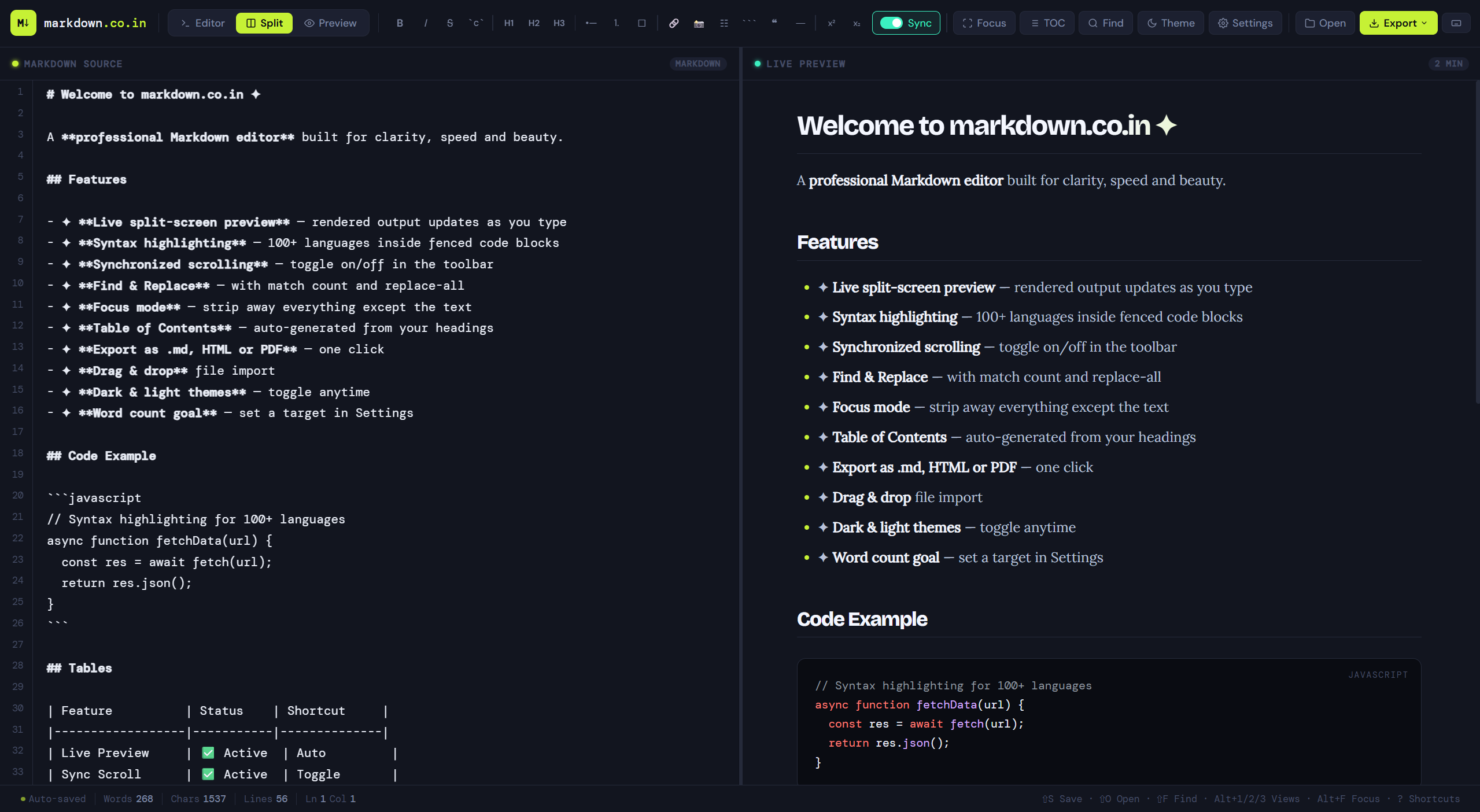


A focused markdown editor for writing and previewing markdown — powerful enough for professionals, and moreover simple enough for complete beginners.
As you type, this free markdown editor updates the live preview instantly. Editor and preview are side-by-side, so there's no switching tabs.
real-time rendering100+ programming languages supported inside fenced code blocks. Furthermore, the colour-coded output is readable and beautiful in both the dark and light markdown editor themes.
100+ languagesToggle scroll sync so the preview follows exactly where you're editing. Switch it off for independent reading.
optional toggleDrop any .md or .txt file straight onto the editor. Your existing documents load instantly.
Carefully crafted dark and light modes, easy on the eyes during long writing sessions. Switch with one click.
eye-friendlyNothing leaves your browser. As a result, there are no servers, no accounts, and no data collection — your markdown writing stays completely private, always.
zero data sentNo setup, no downloads, no accounts. In short, just open this free markdown editor and start writing.
Click "Start Writing Free" — the editor opens instantly in your browser. No installation, no signup, no waiting.
Type your markdown on the left. Furthermore, headings, lists, code blocks, tables — the full Markdown spec is supported with live preview updating as you go.
Save your document as a .md file with Ctrl+S or the Save button. Done.
This free online markdown editor was built for developers, writers, and teams who want a distraction-free experience. Unlike other markdown editors, markdown.co.in runs entirely in your browser — consequently, there is nothing to install and no account to create.
Furthermore, every feature is available for free. The live markdown preview updates instantly as you type, making it ideal for writing README files, documentation, blog posts, and technical notes.
In addition, the markdown editor supports syntax highlighting for 100+ programming languages, drag-and-drop file import, and offline use — features that are typically only found in paid desktop applications.
Whether you are new to markdown or an experienced developer, this markdown live preview tool provides instant visual feedback. As a result, you can catch formatting errors before exporting your work.
The markdown editor online experience is optimised for speed. Moreover, because your content never leaves the browser, your writing is always private and secure.
Finally, markdown.co.in is fully responsive — therefore, you can use it equally well on desktop, tablet, or mobile to write and preview markdown on any device.
Yes — 100% free, forever. This online markdown editor has no hidden pricing, no subscription tiers, and no premium features locked away. Simply open it and start writing markdown instantly.
No. All your writing lives entirely in your browser. Nothing is sent to any server, so your markdown content is completely private. In fact, the editor also works offline once the page has loaded.
Markdown is a lightweight text format that adds structure using plain characters. Developers use this markdown editor for README files, writers for blogs, educators for notes, and teams for documentation. Additionally, markdown is the standard format on GitHub, Reddit, and most developer platforms.
Yes. The editor is fully responsive and tested on iOS and Android. The interface adapts to smaller screens with touch-friendly controls.
Once the page is loaded, this markdown editor works completely offline. As a result, you can write, preview, and export markdown files without any network connection.
Yes. Drag and drop any .md or .txt file onto the editor window, or use the Open button to browse your files.
Open this free markdown editor in your browser — no account, no download, no cost. As a result, you get instant live markdown preview from the moment you start typing.